
LotWorks Maps
A Community Map Your Team & Customers Will Love to Use
Buyers click around, filter by lot status, and see real pricing on a live map embedded right on your site. Behind the scenes, LotWorks syncs with the CRM and tools your team already uses, keeping every update in one place automatically.
Interactive Lot Maps That Update Themselves
Embedded Directly on Your Site
Give buyers a way to explore your inventory right on your own site, no rebuild required. LotWorks Maps goes live with one line of code: no dev project, no new tool for your team to learn.
Real-Time Lot Status Updates
Integrated with the tools your team already uses, your LotWorks Map updates the second a lot is marked sold, cutting out manual updates across tools and keeping your whole team on the same page. No manual file swaps, no stale plat maps.
Filtered with Advanced Search Tools
Buyers can search your inventory by lot size, price, status, builder, and more. Add lot images, descriptions, and calls to action to every listing, so buyers gather everything they need and self-qualify before they ever talk to your sales team.
Convert Site Visits into Lots Sold
Capture and convert leads with inline forms that integrate directly with your CRM, including HubSpot, Salesforce, and Lasso, so your sales team knows exactly which lot a buyer is interested in. Chatbot integrations are available to help answer buyer questions faster.
See Maps in Action
As a certified Google Maps partner, LotWorks lets your potential customers explore your community on a tool they’re already familiar with. They can filter and search by what’s available, unit type, lot size, and more, not a static plat map that’s already out of date by the time they see it.
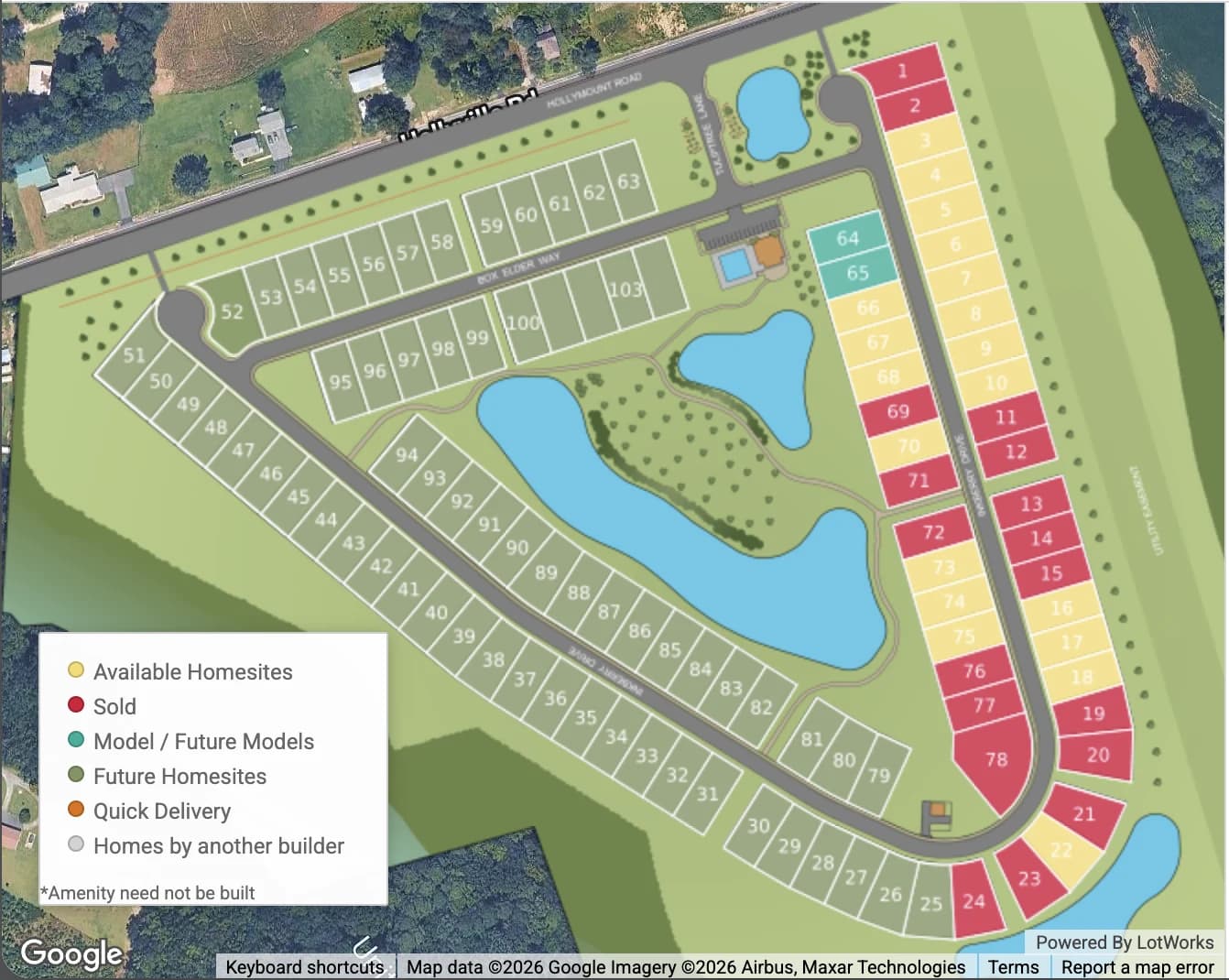
- 1See Colour-Coded Lot Status
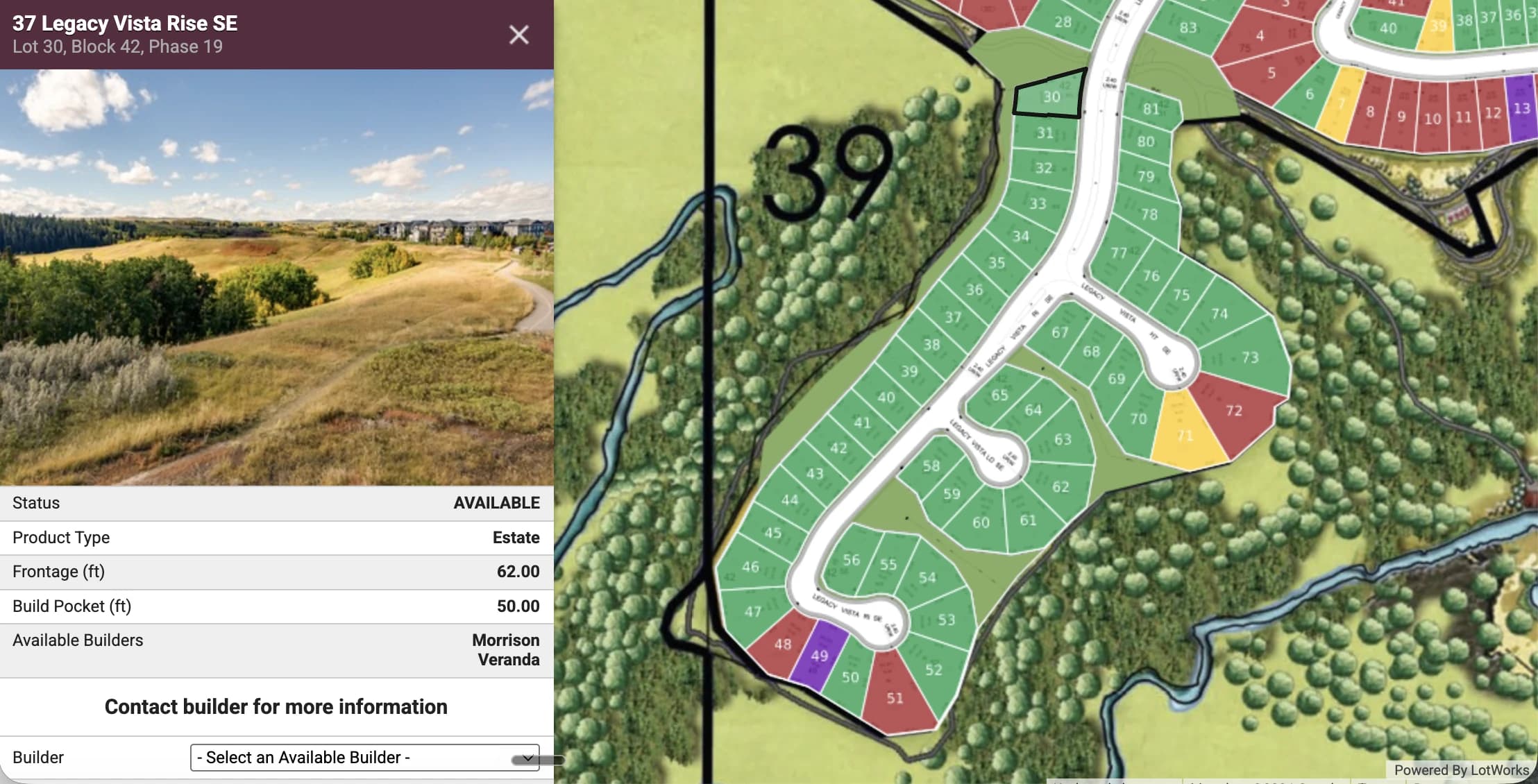
- 2Click for Full Lot Details
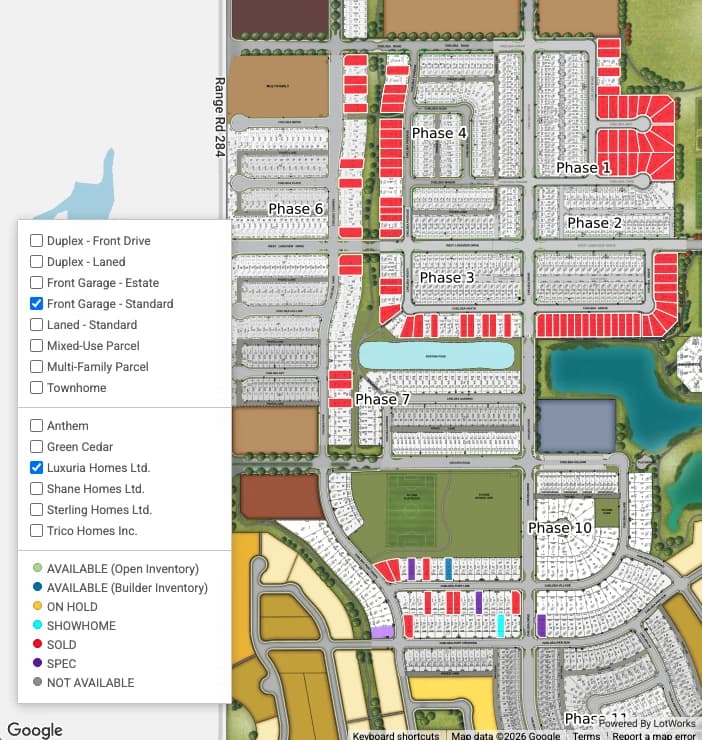
- 3Filter by Unit Type & Builder
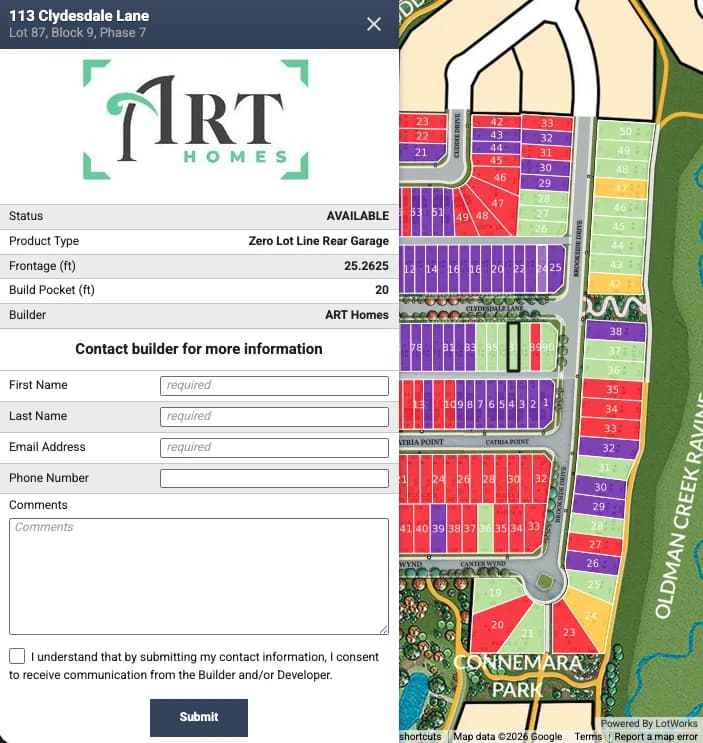
- 4Contact the Builder Directly
- 5See the Community in Context
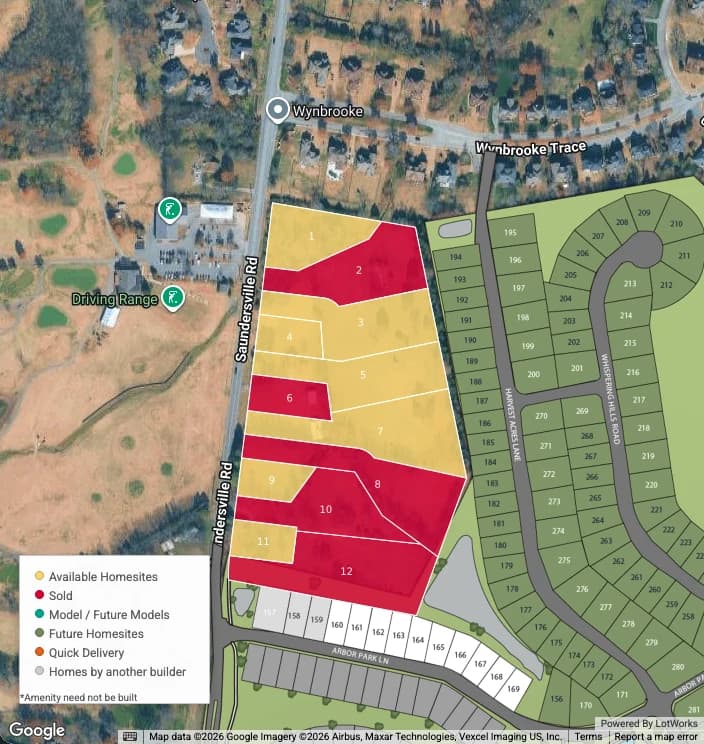
- 6Powered by Google Maps
See Maps in Action
As a certified Google Maps partner, LotWorks lets your potential customers explore your community on a tool they’re already familiar with. They can filter and search by what’s available, unit type, lot size, and more, not a static plat map that’s already out of date by the time they see it.
For Sales Teams
Stop Looking Up Lot Status in Spreadsheets
- Check hold status without leaving your desk
- Every inquiry lands in your CRM with the lot attached
- Quote live pricing without a callback
- Drop it into any pitch deck or builder site
- Pull up any lot on a tablet, mid-pitch, at a trade show
For Marketing Teams
Maps That Don’t Need a Marketing-Team Update
- No design ticket needed to update a map
- Always current, zero PDF version control
- One map, every microsite and builder homepage
- See which channel drove each inquiry
- Spot your hottest lots before your next campaign
- Already wired into the CRM you report from
Connects to the CRM You Already Use

LotWorks Maps
- HubSpot
- Salesforce
- Lasso CRM
- Chatbot platforms
- + more
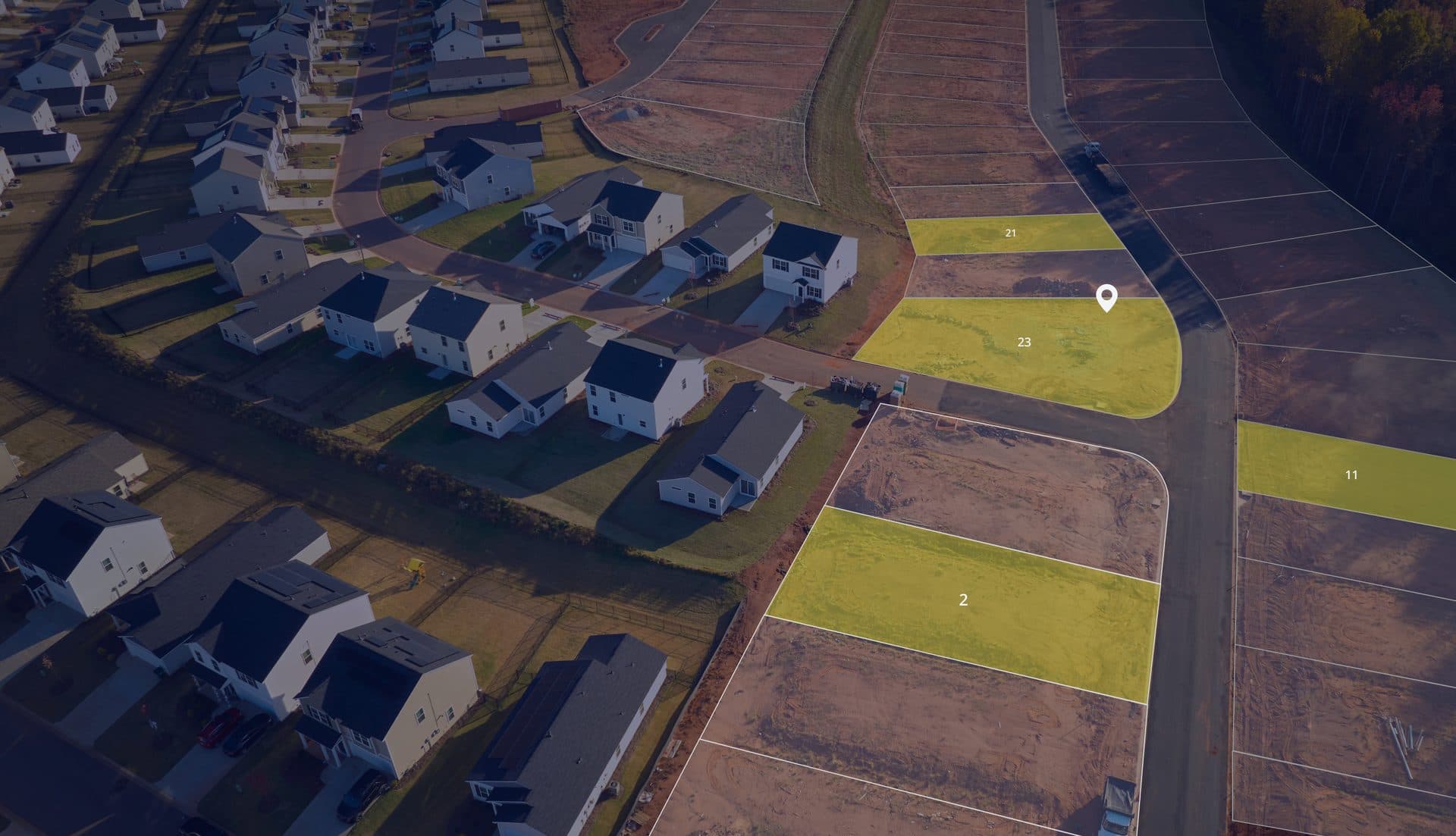
In the past, we’ve relied on just seeing an old traditional plat map with what’s available, but it doesn’t tell you in real-time, what’s available to a buyer. With the Maps solution, it completely changes the game in the way that buyers shop.
The rest of the platform
Where Maps Fits in the Platform
Downstream of Develop
Sold Status Flows Straight from Develop
Run your lots, phases and pricing in Develop and your public map updates itself the moment sales change a status. No double entry.
Explore LotWorks DevelopDownstream of Land
Plan the Phases Before You Sell Them
Land models your parcels and phasing before you break ground, so the lots your map goes live with are the ones you meant to release.
See LotWorks LandStandalone
Or Run Maps on Its Own
Most teams start here. Maps embeds on the site you already have and works without Develop or Land — add them when your operation grows.
Book a Maps DemoFrequently Asked Questions
Don’t see your question? Book a 30-minute Maps demo and we’ll walk through your exact setup.
Book a Maps DemoWe import your lots, calibrate the map to your site plan, and wire up your CRM — and we'll give you a firm timeline on the first call.
Yes — one line of code. Works on Webflow, WordPress, custom HTML.
We've connected HubSpot, Salesforce, and Lasso, and the platform works with any CRM. Custom connections run through our API.
Yes. Builder portal grants scoped access — they update their lots, you stay in control of the community-wide view.